
Locating Gift/Gifted Purchases in your GrabOne Account
Edited
Are you trying to find a gift purchase that you recently made? Gifted purchases are found in a different section to purchases you've made for yourself.
Note: You are unable to view purchases you have gifted or received via the GrabOne App or the mobile website version of GrabOne. Apologies for any inconvenience caused.
Simply click on the icon that represents a person, and then select the option labeled My Purchases.
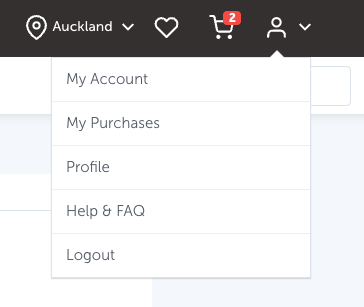
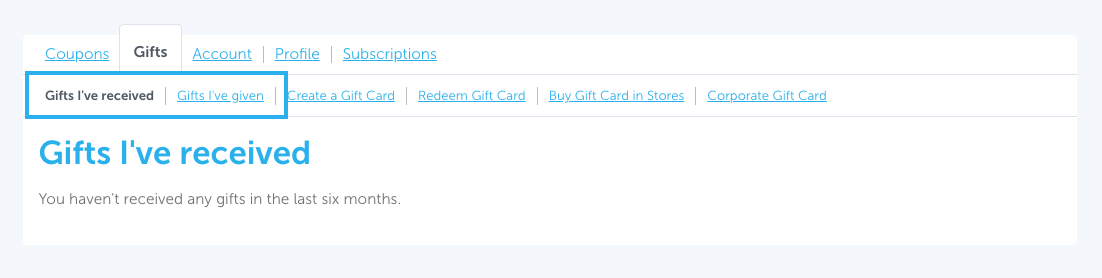
This will direct you to the Gift's I've Received page, where you have the ability to view the gifts you have received.
To see the gifts you've recently given, click Gifts I've Given. You'll be directed to a page showing you your recent gifted purchases.
Gift
GrabOne Gift
GrabOne Account