
How to make a purchase using GrabOne Credit
Once you've found a deal you'd like to purchase and you have GrabOne credit already loaded to your GrabOne account, add it to your cart as you normally would.
If you have a Promo/Discount/Credit code to redeem - your instructions are different! Please follow the instructions provided here: How do I add a promo/discount/credit code at the cart?
If you have GrabOne Credit loaded to your account, your cart will show one of the following.
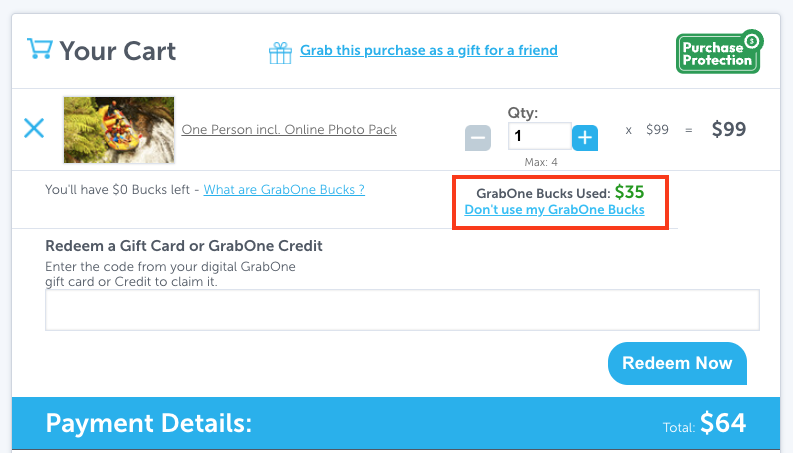
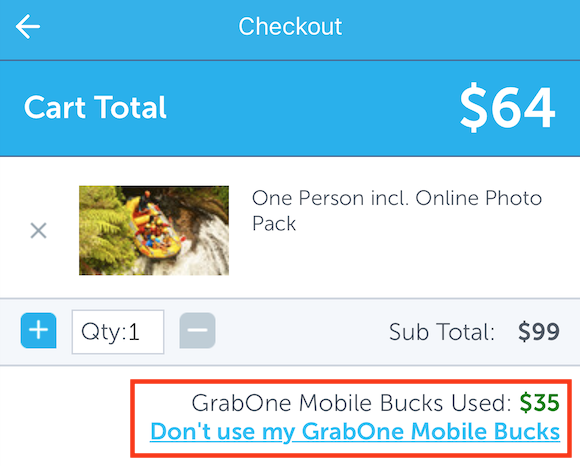
GrabOne Credit is already applied to the value of your purchase:
You'll see "GrabOne Bucks Used" with the amount being used, and a "Don't use my GrabOne Bucks" link if you'd rather save your credit for a future purchase.
GrabOne Website:
GrabOne App/Mobile Website:
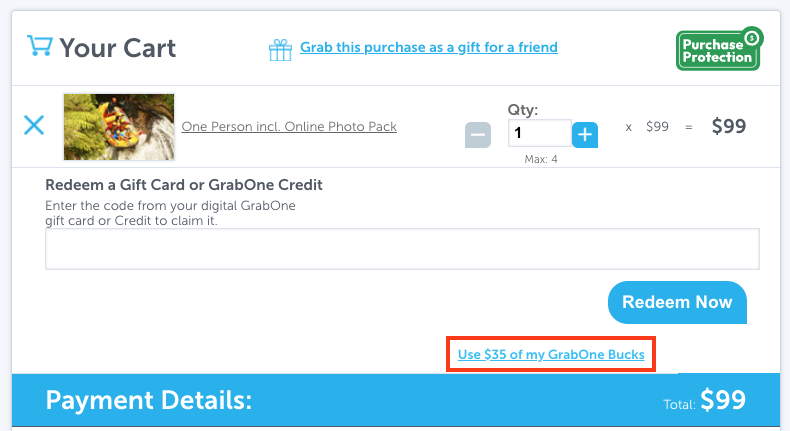
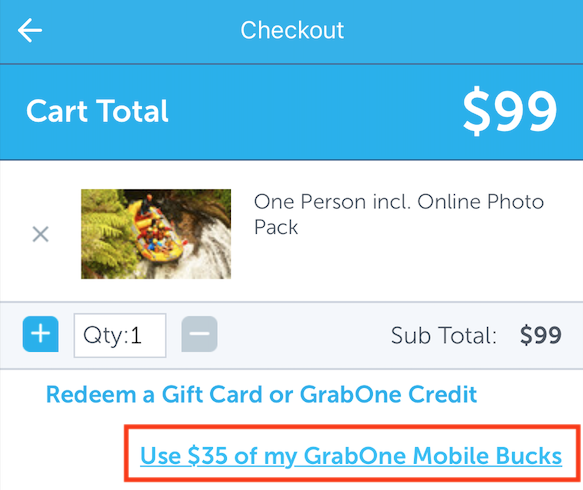
GrabOne credit isn't yet applied to the value of your purchase:
You'll see a "Use $[amount] of my GrabOne Bucks". Select this if you'd like to apply your available credit to this purchase.
GrabOne Website:
GrabOne App/Mobile Website:
Any remaining purchase value not covered by GrabOne credit will be displayed as your 'total' left to pay.