
Updating your GrabOne Account Details/Closing GrabOne Account
Recently moved and need to change your address, email, or password? You can do this in your Account settings!
Note: You are unable to update your GrabOne account details via the GrabOne App at this time. Please log into a laptop or computer to update your GrabOne account settings.
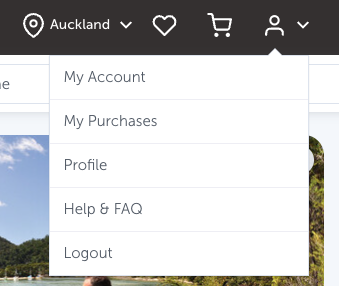
To update your GrabOne account, log in to the GrabOne Website here https://www.grabone.co.nz/login and go to My Account.
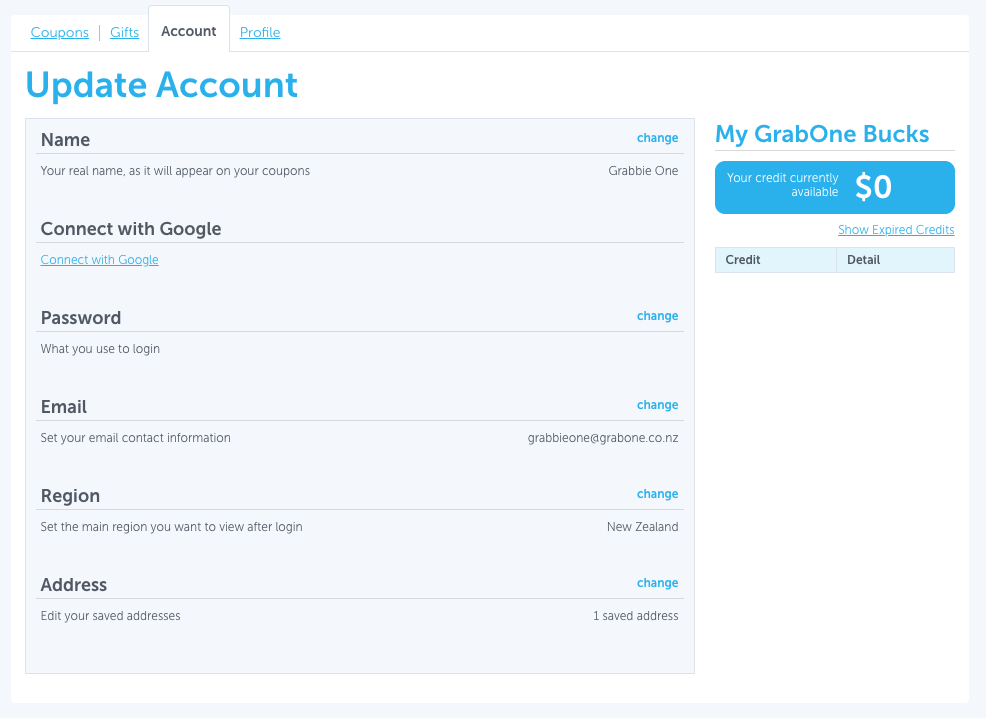
Here, you can edit/update your saved information:
Name: Use your real name as it appears on the coupon.
Connect with Google: Link your Google account for easier logins.
Password: Update your password anytime.
Email: Change the email address used to log into GrabOne.
Region: Set your default region you want to view after logging in to find local deals.
Address: Edit, remove, or add new delivery addresses for Store purchases.
To make changes, click the blue change button and follow the prompts to update.
How do I delete/close my GrabOne Account?
Looking to delete your GrabOne Account?
Simply reach out to our friendly support team through either our website chat function (within business hours) or email us, support@grabone.co.nz
If you're looking to stop your daily emails, more information can be found under this article: Edit your GrabOne daily email subscriptions
Please note: Once your GrabOne account has been deleted, it will take up to 24hrs for your email to be removed from our mailing list.